
Salesforce Sales Cloud + Calendly Integration (2026): How It Works, Setup & True Cost
Calendly's own Salesforce package creates and updates Salesforce records, leads and events by default, as invitees book, cancel or reschedule; it needs Calendly Teams or higher and Salesforce Enterprise edition or higher. Requires Salesforce Sales Cloud on the 'Enterprise' plan and Calendly on the 'Teams' plan.
How the Salesforce Sales Cloud + Calendly integration works
Does Salesforce Sales Cloud integrate with Calendly? Yes. Calendly builds a Salesforce integration, a package you install in your Salesforce org, but it needs Calendly's Teams plan or higher and Salesforce Enterprise edition or higher. Calendly says an error during installation may mean the org is on Salesforce Group or Professional edition.
As invitees schedule, cancel or reschedule, the package creates and updates Salesforce records: leads and events by default, and any Salesforce object if you customize it. It can also store routing form responses in Salesforce and send each user's Calendly links to their Salesforce user, for merge fields in email templates. Upcoming Calendly events show in the record's open activities, and canceled or rescheduled ones are tracked per invitee.
Setup guide: Calendly: How to integrate Calendly with Salesforce ↗
How do you set up Salesforce Sales Cloud + Calendly?
- Make sure you're a Calendly owner or admin and a Salesforce admin, on Salesforce Enterprise edition or higher.
- In Calendly, go to Automations → Integrations & apps, select Salesforce under Sales and CRM, select Connect Salesforce and log in with your Salesforce credentials.
- On the Salesforce Integrations page in Calendly, select Install the Calendly package, choose Install for All Users and select Install.
- Grant third-party access (select Yes, then Continue), and select Done when the installation finishes.
- Return to Calendly and select Refresh to complete the connection.
Steps follow Calendly's setup guide ↗, read Nov 12, 2026.
Limitations: It needs Calendly Teams or higher and Salesforce Enterprise or higher, so Calendly Standard and Salesforce Group or Professional orgs can't use it. Routing by Salesforce lookup, such as routing to the record owner, is only on Calendly's Enterprise plan. If events stop syncing, Calendly's troubleshooting guide says to check the integration status, the Push New Events to Salesforce switch and the package's Salesforce flows.
Sources (checked Nov 12, 2026): Calendly: How to integrate Calendly with Salesforce ↗ · Calendly: Troubleshooting Salesforce integration ↗
Native vs middleware for Salesforce Sales Cloud + Calendly
The connector routes are cheaper on paper because they skip the forced plan upgrade. The trade-off: you swap the native connector for a third-party automation you build and maintain, sync stays 1-way per automation, and the connector bills by usage.
| Route | Plans | 10 seats / month | Sync |
|---|---|---|---|
| Native Salesforce Sales Cloud + Calendly connector | Salesforce Sales Cloud 'Enterprise' + Calendly 'Teams' | $1,850.00 | 1-way (Calendly → Salesforce) |
| Make Core on the cheapest API plans | Salesforce Sales Cloud 'Professional' + Calendly 'Standard' + Make | $1,380.59 | 1-way per scenario |
| Zapier Professional on the cheapest API plans | Salesforce Sales Cloud 'Professional' + Calendly 'Standard' + Zapier | $1,399.99 | 1-way per Zap |
Connector prices are monthly-billing list prices: Zapier Professional $29.99 (zapier.com/pricing) and Make Core $10.59 (from third-party pricing reviews, because make.com blocks automated checks). Both bill by usage, so high volumes cost more.
✓ Verified Vendor Facts
- Plan prices: from each vendor's pricing page; any exception is flagged next to the date at the top.
- Required tiers: 'Enterprise' / 'Teams' — the minimum plans this integration needs.
- API & webhook gates: audited in official developer docs (see spec matrix).
- Native app availability: Native app available in vendor marketplace.
Requirements checked: Nov 12, 2026; prices: Nov 3, 2026 (exceptions listed at the top) · Sources linked below.
Hidden Cost Trap
Requires Salesforce Sales Cloud on the 'Enterprise' plan or higher — Requires Calendly on the 'Teams' plan or higher.
- Salesforce Sales Cloud minimum tier
- 'Enterprise'
- Calendly minimum tier
- 'Teams'
- Middleware fee
- None
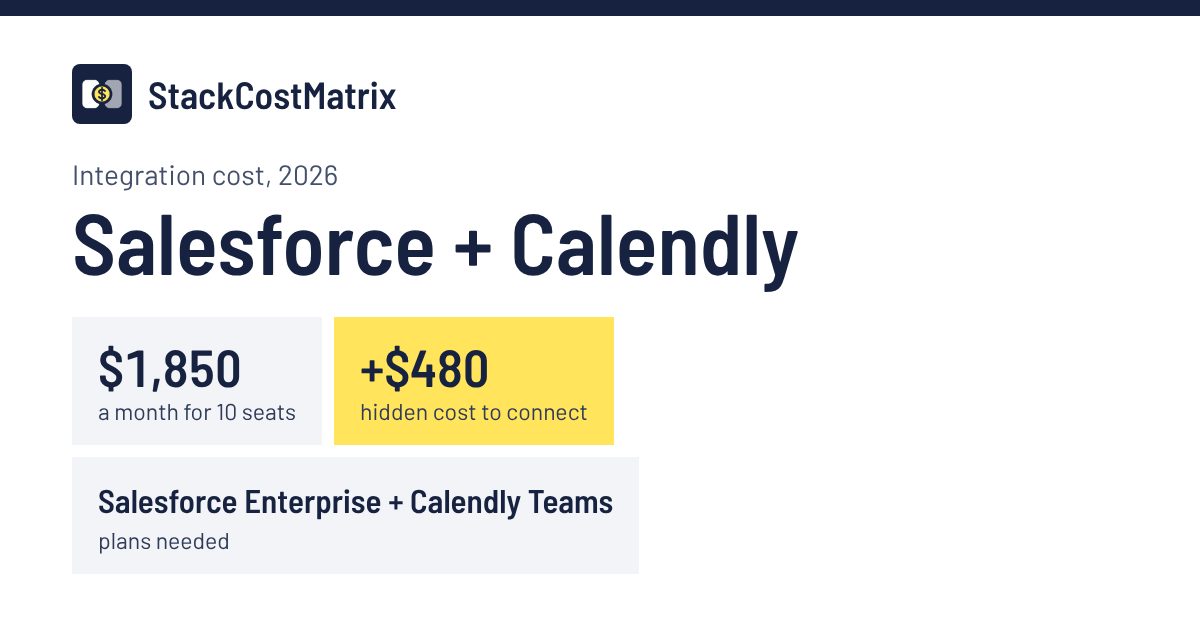
The hidden cost is a forced plan upgrade: Salesforce Sales Cloud needs 'Enterprise', $400/mo more than 'Professional', its cheapest plan with API access; Calendly needs 'Teams', $80/mo more than 'Standard', its cheapest plan with API access. That adds $480/mo for 10 seats just to connect the two tools. Running the same connection through Make on the cheapest API plans would cost about $1,380.59/mo in total instead of $1,850/mo, but you'd give up the native connector.
Skip the native tier upgrade: connect Salesforce Sales Cloud + Calendly via Make.com middleware insteadAffiliate link — we may earn a commission at no extra cost to you.
Side-by-side spec matrix
| Spec | Salesforce Sales Cloud | Calendly |
|---|---|---|
| Connection type | Native Source: Salesforce Sales Cloud docs ↗ · Calendly docs ↗ · Verified Nov 12, 2026 | |
| Data sync direction | 1-way (Calendly → Salesforce) | |
| Setup time | Half a day (difficulty 3/5) | |
| Native integration supported | Yes — official native app/connector | |
| API available (distinct from native app) | Yes — API ≠ native UI; API enables custom/middleware builds Source: Salesforce Sales Cloud API docs ↗ · Verified Oct 17, 2026 | Yes — API ≠ native UI; API enables custom/middleware builds Source: Calendly API docs ↗ · Verified Oct 17, 2026 |
| API access at required tier | Yes ('Enterprise') 100,000 + 1,000 per Salesforce license / 24 h Source: Salesforce developers: Supported editions ↗ · Verified Nov 3, 2026 | Yes ('Teams') Source: Calendly: API overview ↗ · Verified Nov 3, 2026 |
| Webhook support at required tier | Yes ('Enterprise') Change Data Capture (Salesforce's change-event feed) is available on Enterprise. Source: Salesforce developers: Change Data Capture ↗ · Verified Nov 8, 2026 | Yes ('Teams') Source: Calendly: API overview ↗ · Verified Nov 3, 2026 |
API and webhook access can change with the plan you are on: see Salesforce API access by plan and Calendly API access by plan.
Some outbound links may earn us a referral commission at no extra cost to you. Read our affiliate disclosure.
Salesforce Sales Cloud + Calendly integration: frequently asked questions
What are the minimum plan tiers required for the Salesforce Sales Cloud + Calendly integration?
To unlock the native integration, Salesforce Sales Cloud must be on the 'Enterprise' plan or higher and Calendly must be on the 'Teams' plan or higher. Salesforce Sales Cloud's cheapest plan with API access is 'Professional', so 'Enterprise' is a $400/mo upgrade at 10 seats. Calendly's cheapest plan with API access is 'Standard', so 'Teams' is a $80/mo upgrade at 10 seats.
How much does the Salesforce Sales Cloud + Calendly stack cost per month for a 10-person team?
At 10 seats with the required tiers (Salesforce Sales Cloud 'Enterprise' + Calendly 'Teams'), the stack costs $1,850.00 per month.
Is the Salesforce Sales Cloud + Calendly integration native, and would Make or Zapier be cheaper?
The Salesforce Sales Cloud + Calendly connection is native — no third-party middleware subscription is required. Connecting through Make on the cheapest API plans would cost about $1,380.59/month in total instead of $1,850.00, but you'd replace the native connector with a third-party automation.
What are the limitations of the Salesforce Sales Cloud + Calendly integration?
It needs Calendly Teams or higher and Salesforce Enterprise or higher, so Calendly Standard and Salesforce Group or Professional orgs can't use it. Routing by Salesforce lookup, such as routing to the record owner, is only on Calendly's Enterprise plan. If events stop syncing, Calendly's troubleshooting guide says to check the integration status, the Push New Events to Salesforce switch and the package's Salesforce flows.
Integrations related to Salesforce Sales Cloud + Calendly
More integrations for the same two tools, each with its connection type and what it costs a 10-person team. The full lists: all 13 Salesforce integrations and all 10 Calendly integrations.
Asana + Salesforce Sales Cloud
Native
$1,554.90 a month for 10 seats
Salesforce Sales Cloud + Slack
Native
$1,737.50 a month for 10 seats
ClickUp + Salesforce Sales Cloud
Middleware
$1,260.59 a month for 10 seats
Pipedrive + Calendly
Middleware
$270.59 a month for 10 seats
ActiveCampaign + Calendly
Native
$135.00 a month for 10 seats
Mailchimp + Calendly
Native
$120.00 a month for 10 seats
Salesforce Sales Cloud + Calendly is also covered in the CRM integration hidden-costs guide and the Integration Tax 2026 report, which adds up the hidden costs of all 90 pairs.
Requirements checked: Nov 12, 2026; prices: Nov 3, 2026 (exceptions listed at the top)
Verified sources
Every figure on this page links to its source below; prices that don't come straight from the vendor's page are flagged next to the date: