
Which Integrations Need HubSpot Professional? (2026)
Checked against HubSpot's pricing pages and knowledge base · Nov 5, 2026 · Salesforce requirements added Nov 10, 2026 · Edited by Rakesh Kumar
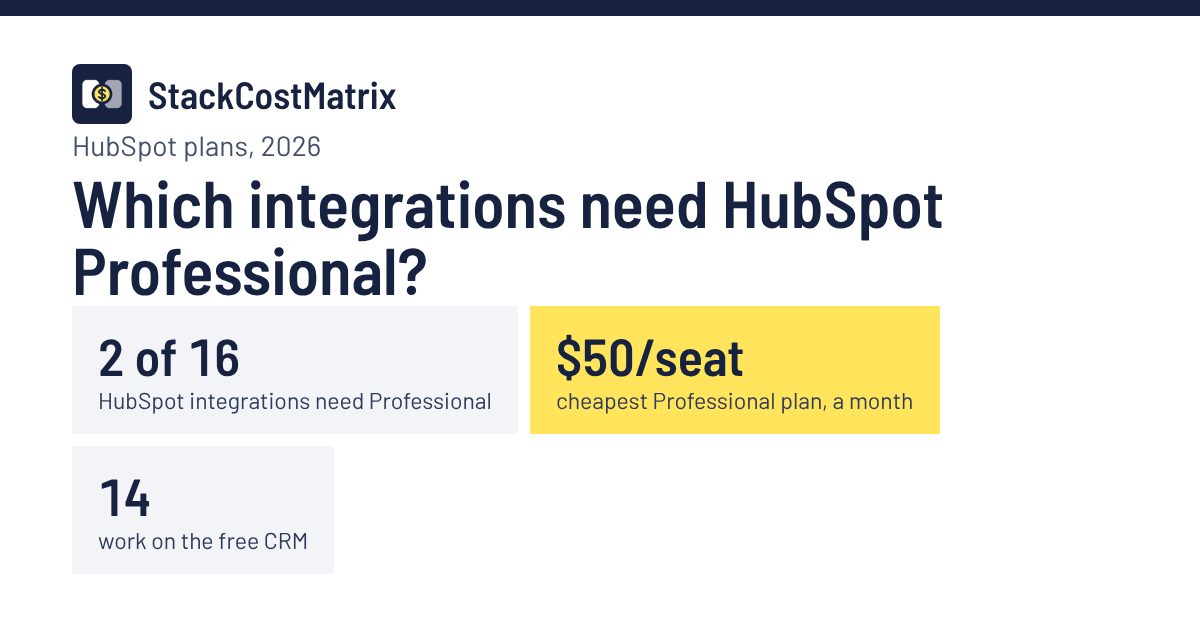
Short answer: Only 2 of the 16 HubSpot integrations we track need Professional: HubSpot + Salesforce and HubSpot + Asana. Any Professional subscription HubSpot lists for them works, and the cheapest is Smart CRM Professional at $50 per seat a month ($45 on an annual commitment), about $500 a month for 10 people. 2 need Data Hub Starter: HubSpot + Airtable and HubSpot + Notion. The other 12 work on HubSpot's free CRM.
Which HubSpot plan each integration needs
| Integration | HubSpot plan needed | Other tool's plan | Connection | 10-person total |
|---|---|---|---|---|
| HubSpot + Salesforce | Professional | Salesforce Professional | Native | $1,750/mo |
| HubSpot + Asana | Professional | Asana Starter | Native | $634.90/mo |
| HubSpot + Airtable | Data Hub Starter | Airtable Free | Native | $200/mo |
| HubSpot + Notion | Data Hub Starter | Notion Plus | Native | $320/mo |
| Freshdesk + HubSpot | Free CRM | Freshdesk Growth | Native | $230/mo |
| HubSpot + Calendly | Free CRM | Calendly Standard | Native | $120/mo |
| HubSpot + ClickUp | Free CRM | ClickUp Core | Native | $120/mo |
| HubSpot + Mailchimp | Free CRM | Mailchimp Standard | Native | $20/mo |
| HubSpot + Monday.com | Free CRM | Monday.com Standard | Native | $140/mo |
| HubSpot + Pipedrive | Free CRM | Pipedrive Lite | Make Core | $150.59/mo |
| HubSpot + QuickBooks | Free CRM | QuickBooks Simple Start | Native | $38/mo |
| HubSpot + Slack | Free CRM | Slack Free | Native | $0/mo |
| HubSpot + Stripe | Free CRM | Stripe Standard | Native | $0/mo |
| HubSpot + Xero | Free CRM | Xero Early | Native | $27/mo |
| HubSpot + Zendesk | Free CRM | Zendesk Suite Team | Native | $690/mo |
| Intercom + HubSpot | Free CRM | Intercom Essential | Native | $390/mo |
Totals are both tools' required plans plus any connector fee, for 10 seats at monthly billing, from each integration's calculator. HubSpot Professional is priced as Smart CRM Professional, the cheapest Professional subscription.
The cheapest way to get HubSpot Professional
Both integrations work with any Professional subscription HubSpot lists for them, so you don't need Marketing Hub. Smart CRM Professional is the cheapest: $50 per seat a month, or $45 with an annual commitment, with no onboarding fee shown. For 10 people that's $500 a month. Marketing Hub Professional, the plan most people think of, costs $1,240 a month for the same team, plus a $3,000 onboarding fee.
| Professional subscription | Pay monthly | Annual commitment | Seats | 10 people, monthly | Onboarding fee | Salesforce connector | Asana action |
|---|---|---|---|---|---|---|---|
| Smart CRM Professional ↗ | $50/seat | $45/seat | Sold per seat | $500/mo | None shown | Yes | Yes |
| Content Hub Professional ↗ | $500/mo | $450/mo | 3 included, then from $50/seat | $850/mo | None shown | Yes | Not listed |
| Sales Hub Professional ↗ | $100/seat | $90/seat | Sold per seat | $1,000/mo | $1,500 one-time | Yes | Yes |
| Service Hub Professional ↗ | $100/seat | $90/seat | Sold per seat | $1,000/mo | $1,500 one-time | Yes | Yes |
| Marketing Hub Professional ↗ | $890/mo | $800/mo | 3 included, then from $50/seat | $1,240/mo | $3,000 one-time | Yes | Yes |
| Data Hub Professional ↗ | $800/mo | $720/mo | 1 included, then from $50/seat | $1,250/mo | None shown | Yes | Yes |
Prices from HubSpot's pricing pages, checked Nov 5, 2026. Annual-commitment prices are per month. Extra Core Seats are listed as “start at” prices, so these are minimums. “Not listed” means that Hub isn't in HubSpot's help article for the integration. Revenue Hub Professional also unlocks the Asana action.
You may not need 10 paid seats. HubSpot charges per Core Seat, and its product catalog says View-Only Seats are “available at no additional cost”. People who only look at records don't need a paid seat, so a team where a few people do the editing pays less than the 10-seat figure.
Do you need HubSpot Professional for the Salesforce integration?
Yes. HubSpot's Salesforce connector isn't available on the free CRM or Starter: HubSpot lists it for Professional and Enterprise only, on any of the Hubs in the table above. The cheapest way in is Smart CRM Professional at $50 per seat a month.
What Salesforce needs. HubSpot's requirements read “a Salesforce edition with API access, or Salesforce Professional”, and Group Edition isn't supported. Enterprise and Unlimited include API access; Professional normally needs a paid API add-on. Salesforce also says security-reviewed AppExchange apps can reach Professional orgs even if the customer doesn't have API access, so ask Salesforce whether your Professional org needs the add-on for HubSpot's connector. The Salesforce user who connects it also needs the API Enabled permission. Details by edition: Salesforce API access by edition.
One-time fees. HubSpot adds a required Professional Onboarding fee on some Hubs ($1,500 for Sales Hub or Service Hub, $3,000 for Marketing Hub); its pricing page shows none for Smart CRM Professional. Full monthly cost with both tools: HubSpot + Salesforce.
Is there a cheaper route than upgrading?
Sometimes. HubSpot's API works on every plan, including the free CRM, so a connector like Make can link HubSpot to Salesforce or Asana without Professional. For HubSpot + Salesforce, the native route costs $1,750 a month for 10 people and the connector route about $1,260.59. For HubSpot + Asana, the native route costs $634.90 a month for 10 people and the connector route about $145.49. The trade-off is that you build and maintain the sync yourself, and the native Salesforce connector does more (two-way sync of contacts, companies, deals and activities) than a simple automation.
What else needs Professional
Webhooks in workflows need Data Hub Professional or Enterprise specifically; HubSpot's knowledge base lists no other Hub for them. Developer webhooks, which apps and tools like Make use, are a separate feature. See HubSpot API & webhook access by plan.
Sources
Checked Nov 5, 2026. Help-article quotes are copied from each article, with the plan lists condensed; pricing lines show the figures each page displays.
- HubSpot KB: Connect HubSpot and Salesforce ↗ “Available with any of the following subscriptions, except where noted: Marketing Hub, Sales Hub, Service Hub, Data Hub, Content Hub, Smart CRM: Professional, Enterprise”
- HubSpot KB: Create Asana tasks with workflows ↗ “Available with any of the following subscriptions, except where noted: Marketing Hub, Sales Hub, Service Hub, Data Hub, Smart CRM, Revenue Hub: Professional, Enterprise”
- HubSpot KB: Use webhooks with HubSpot workflows ↗ “Available with any of the following subscriptions, except where noted: Data Hub Professional, Enterprise”
- HubSpot pricing: Smart CRM ↗ “Professional · Starts at $45/mo/seat (annual commitment) · $50/mo/seat (pay monthly)”
- HubSpot pricing: Sales Hub ↗ “Professional · $90/mo/seat (annual commitment) · $100/mo/seat (pay monthly) · one-time Professional Onboarding for a fee of $1,500”
- HubSpot pricing: Marketing Hub ↗ “Professional · $800/mo (annual commitment) · $890/mo (pay monthly) · Includes 3 Core Seats · one-time Professional Onboarding for a fee of $3,000”
- HubSpot pricing: Service Hub ↗ “Professional · $90/mo/seat · $100/mo/seat · one-time Professional Onboarding for a fee of $1,500”
- HubSpot pricing: Content Hub ↗ “Professional · $450/mo · $500/mo · Includes 3 Core Seats”
- HubSpot pricing: Data Hub ↗ “Professional · $720/mo · $800/mo · Includes 1 Core Seat”
- Salesforce developers: API access in Group and Professional Editions ↗ “after your app passes the security review … your app can make calls to Group and Professional Edition orgs … even if the customer doesn't have API access”
- HubSpot Product and Services Catalog ↗ “Core Seat … Professional subscriptions $50/month per seat · View-Only Seat … Available at no additional cost”
More on HubSpot
All HubSpot integration costs · HubSpot API access by plan · The Integration Tax 2026 report
HubSpot Professional and integrations: frequently asked questions
Which HubSpot integrations need Professional?
Of the 16 HubSpot integrations on this site, 2 need a Professional subscription: HubSpot + Salesforce and HubSpot + Asana. 2 need Data Hub Starter: HubSpot + Airtable and HubSpot + Notion. The other 12 (Freshdesk, Calendly, ClickUp, Mailchimp, Monday.com, Pipedrive, QuickBooks, Slack, Stripe, Xero, Zendesk, Intercom) work on HubSpot's free CRM.
What is the cheapest HubSpot Professional plan?
Smart CRM Professional, at $50 per seat a month on monthly billing or $45 with an annual commitment, with no onboarding fee shown on HubSpot's pricing page. HubSpot's help articles list it among the subscriptions that unlock both the Salesforce connector and the Asana workflow action.
Does the HubSpot Salesforce integration work on the free CRM?
No. HubSpot's knowledge base says the Salesforce integration is available with Marketing Hub, Sales Hub, Service Hub, Data Hub, Content Hub or Smart CRM on Professional or Enterprise. On the Salesforce side, HubSpot asks for an edition with API access or Salesforce Professional; Group Edition isn't supported. For 10 people, HubSpot + Salesforce costs $1,750 a month on the plans it needs.
Do webhooks in HubSpot workflows need Professional?
They need Data Hub Professional or Enterprise specifically. Developer webhooks for apps are a separate feature and aren't tied to that requirement.