
Salesforce Sales Cloud + QuickBooks Online Integration (2026): How It Works, Setup & True Cost
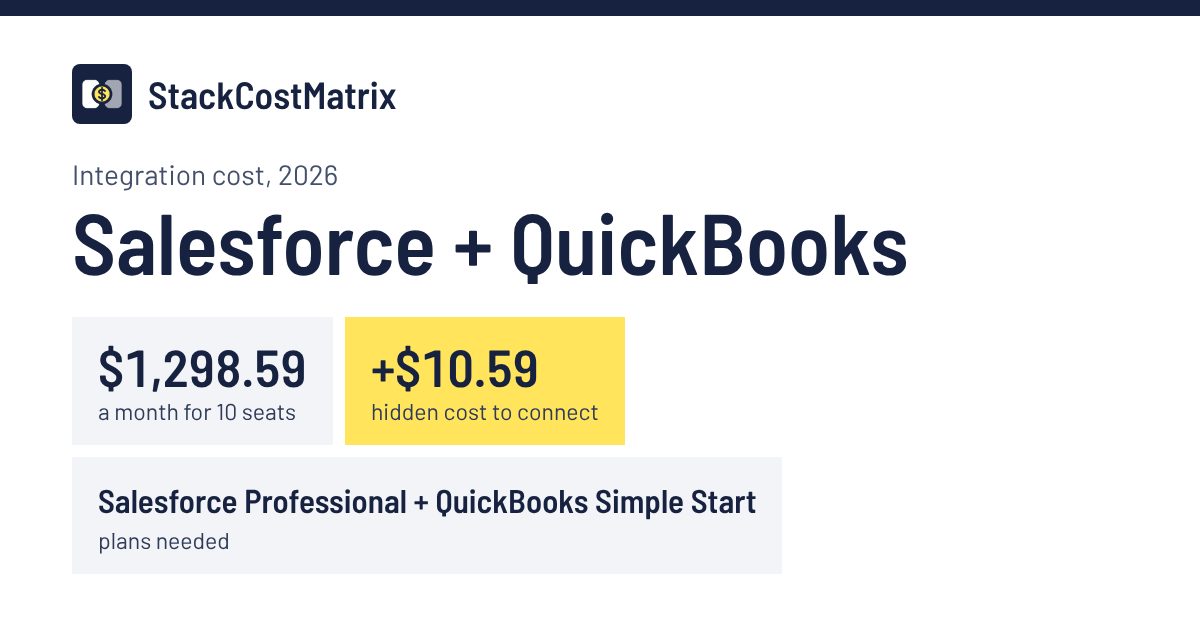
Salesforce doesn't build a QuickBooks connector; AppExchange apps such as Breadwinner (from $310/mo) or Make Core link them through Salesforce's API, which Professional Edition gets only as a paid add-on. Requires Salesforce Sales Cloud on the 'Professional' plan and QuickBooks Online on the 'Simple Start' plan. Route it through Make Core ($10.59/mo, or $9/mo billed annually).
How the Salesforce Sales Cloud + QuickBooks Online integration works
Does Salesforce Sales Cloud integrate with QuickBooks Online? Not with a Salesforce-built connector. Salesforce points to AppExchange apps such as Breadwinner, which starts at $310 a month, and Make or Zapier can connect the two through Salesforce's API, which Professional Edition only gets as a paid add-on.
With Make, a scenario watches Salesforce, for example for a won opportunity, and creates the customer or invoice in QuickBooks Online, or the other way round. Breadwinner is a native Salesforce app with real-time QuickBooks sync, priced separately.
Setup guide: Make: Salesforce app ↗
How do you set up Salesforce Sales Cloud + QuickBooks Online?
- Make sure your Salesforce org has API access: Enterprise or Unlimited include it, Professional needs the API add-on.
- In Make, create a scenario, add a Salesforce module and click Create a connection. Choose the connection type, say whether it's a Salesforce sandbox and click Save. Connect your QuickBooks account the same way.
- Pick a trigger, such as a won opportunity, and a QuickBooks action, such as creating an invoice, then map the fields and turn the scenario on.
Steps follow Make's setup guide ↗, read Nov 10, 2026.
Limitations: This calculator models Salesforce Professional with the $25/user API add-on plus Make Core; Enterprise includes API access without the add-on. Breadwinner's own price, from $310 a month, isn't included. Each Make scenario runs one way.
Sources (checked Nov 4, 2026; setup guide read again for the steps on Nov 10, 2026): Make: Salesforce app ↗ · Salesforce developers: Supported editions ↗ · Breadwinner: Pricing ↗ · Make: QuickBooks app ↗
Native vs middleware for Salesforce Sales Cloud + QuickBooks Online
There's no native Salesforce Sales Cloud + QuickBooks Online connector, so a connector such as Make or Zapier is the integration rather than an alternative. Each automation runs one way (a trigger in one tool, an action in the other), and the connector's bill grows with the number of tasks or operations you run.
| Route | Plans | 10 seats / month | Sync |
|---|---|---|---|
| Make Core (modeled here) | Salesforce Sales Cloud 'Professional' + QuickBooks Online 'Simple Start' | $1,298.59 | 1-way per automation |
| Zapier Professional instead | Salesforce Sales Cloud 'Professional' + QuickBooks Online 'Simple Start' | $1,317.99 | 1-way per automation |
Connector prices are monthly-billing list prices: Zapier Professional $29.99 (zapier.com/pricing) and Make Core $10.59 (from third-party pricing reviews, because make.com blocks automated checks). Both bill by usage, so high volumes cost more.
✓ Verified Vendor Facts
- Plan prices: from each vendor's pricing page; any exception is flagged next to the date at the top.
- Required tiers: 'Professional' / 'Simple Start' — the minimum plans this integration needs.
- API & webhook gates: audited in official developer docs (see spec matrix).
- Native app availability: No native app — connected via middleware.
Last checked: Nov 4, 2026 (exceptions listed at the top) · Sources linked below.
Hidden Cost Trap
Requires Salesforce Sales Cloud on the 'Professional' plan or higher — Requires QuickBooks Online on the 'Simple Start' plan or higher — Plus $10.59/month middleware on top of both tools.
- Salesforce Sales Cloud minimum tier
- 'Professional'
- QuickBooks Online minimum tier
- 'Simple Start'
- Middleware fee
- $10.59/mo
The hidden cost here is the connector: there's no native Salesforce Sales Cloud + QuickBooks Online app, so you pay for Make Core ($10.59/mo) on top of both tools.
Connect Salesforce Sales Cloud + QuickBooks Online via Make.com — the middleware this integration runs onAffiliate link — we may earn a commission at no extra cost to you.
Side-by-side spec matrix
| Spec | Salesforce Sales Cloud | QuickBooks Online |
|---|---|---|
| Connection type | Middleware Source: Salesforce Sales Cloud docs ↗ · QuickBooks Online docs ↗ · Verified Nov 4, 2026 | |
| Data sync direction | 1-way (trigger → action) | |
| Setup time | Half a day (difficulty 3/5) | |
| Native integration supported | No — requires middleware (Zapier / Make) | |
| API available (distinct from native app) | Yes — API ≠ native UI; API enables custom/middleware builds Source: Salesforce Sales Cloud API docs ↗ · Verified Oct 17, 2026 | Yes — API ≠ native UI; API enables custom/middleware builds Source: QuickBooks Online API docs ↗ · Verified Oct 17, 2026 |
| API access at required tier | Yes ('Professional') Web Services API add-on (modeled at $25/user) Source: Salesforce developers: Supported editions ↗ · Verified Nov 3, 2026 | Yes ('Simple Start') Any paid plan (Zapier, Make and Mailchimp name no tier) Source: Zapier help: QuickBooks Online API prerequisites ↗ · Verified Nov 3, 2026 |
| Webhook support at required tier | No ('Professional') Change Data Capture (Salesforce's change-event feed) isn't available on Professional, so sync runs through the REST API. Source: Salesforce developers: Change Data Capture ↗ · Verified Nov 8, 2026 | Yes ('Simple Start') App-level webhooks Source: Intuit developers: Webhooks ↗ · Verified Nov 3, 2026 |
API and webhook access can change with the plan you are on: see Salesforce API access by plan and QuickBooks API access by plan.
Some outbound links may earn us a referral commission at no extra cost to you. Read our affiliate disclosure.
Salesforce Sales Cloud + QuickBooks Online integration: frequently asked questions
What are the minimum plan tiers required for the Salesforce Sales Cloud + QuickBooks Online integration?
To unlock the integration, Salesforce Sales Cloud must be on the 'Professional' plan or higher and QuickBooks Online must be on the 'Simple Start' plan or higher. Those are each tool's cheapest plan with API access (Salesforce Sales Cloud 'Professional' at $1,250/mo and QuickBooks Online 'Simple Start' at $38/mo for 10 seats), so the integration doesn't force an upgrade.
How much does the Salesforce Sales Cloud + QuickBooks Online stack cost per month for a 10-person team?
At 10 seats with the required tiers (Salesforce Sales Cloud 'Professional' + QuickBooks Online 'Simple Start' + $10.59/month middleware), the stack costs $1,298.59 per month.
Why does Salesforce Sales Cloud + QuickBooks Online need middleware, and what does it cost?
The Salesforce Sales Cloud + QuickBooks Online connection runs through middleware: neither vendor offers a native app for this pair, so this page models Make Core at $10.59 per month on top of both tools. Sync is one-way (a trigger in one tool runs an action in the other).
What are the limitations of the Salesforce Sales Cloud + QuickBooks Online integration?
This calculator models Salesforce Professional with the $25/user API add-on plus Make Core; Enterprise includes API access without the add-on. Breadwinner's own price, from $310 a month, isn't included. Each Make scenario runs one way.
Integrations related to Salesforce Sales Cloud + QuickBooks Online
More integrations for the same two tools, each with its connection type and what it costs a 10-person team. The full lists: all 13 Salesforce integrations and all 9 QuickBooks integrations.
Salesforce Sales Cloud + Xero
Middleware
$1,287.59 a month for 10 seats
Salesforce Sales Cloud + Airtable
Native
$1,790.00 a month for 10 seats
Salesforce Sales Cloud + Stripe
Native
$1,250.00 a month for 10 seats
Pipedrive + QuickBooks Online
Native
$178.00 a month for 10 seats
QuickBooks Online + Mailchimp
Native
$38.00 a month for 10 seats
QuickBooks Online + Slack
Middleware
$67.99 a month for 10 seats
Salesforce Sales Cloud + QuickBooks Online is also covered in the CRM integration hidden-costs guide and the Integration Tax 2026 report, which adds up the hidden costs of all 90 pairs.
Last checked: Nov 4, 2026 (exceptions listed at the top)
Verified sources
Every figure on this page links to its source below; prices that don't come straight from the vendor's page are flagged next to the date: